We are a marketing tech company specializing in improving businesses marketing performance - and ensuring our clients are ahead of their day-to-day conversion tracking.
© Copyright - 2026 Tagglo
Supercharge your Google Tag Manager workflow. Tagglo GTM Companion enhances the native GTM web interface and Google Tag Assistant with advanced tables, workspace insights, and debugging tools — all without leaving the tools you already use.

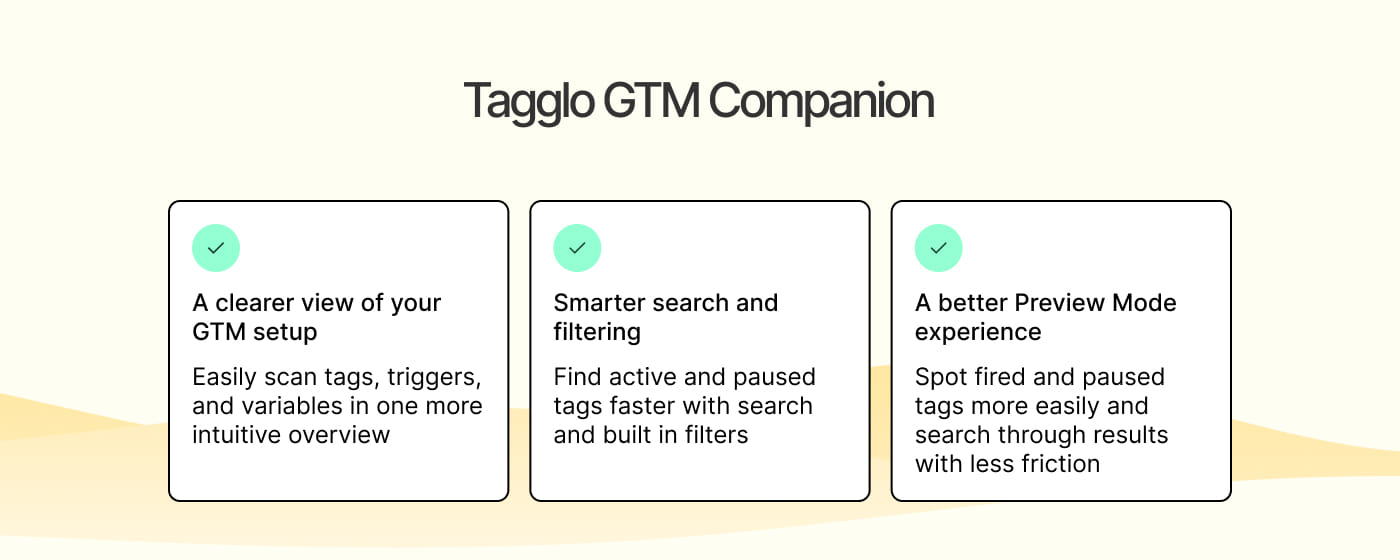
Easily scan tags, triggers, and variables in one more intuitive overview.
Find active and paused tags faster with search and built-in filters.
Spot fired and paused tags more easily and search through results with less friction.
Google Tag Manager is essential for marketing and analytics teams — but navigating containers with hundreds of tags, finding modified items, filtering triggers by type, or searching through variables can be slow and frustrating.
Tagglo GTM Companion solves this by injecting rich, filterable data tables, at-a-glance workspace metrics, and smart search directly into the GTM and Tag Assistant interfaces. No separate app. No context switching.
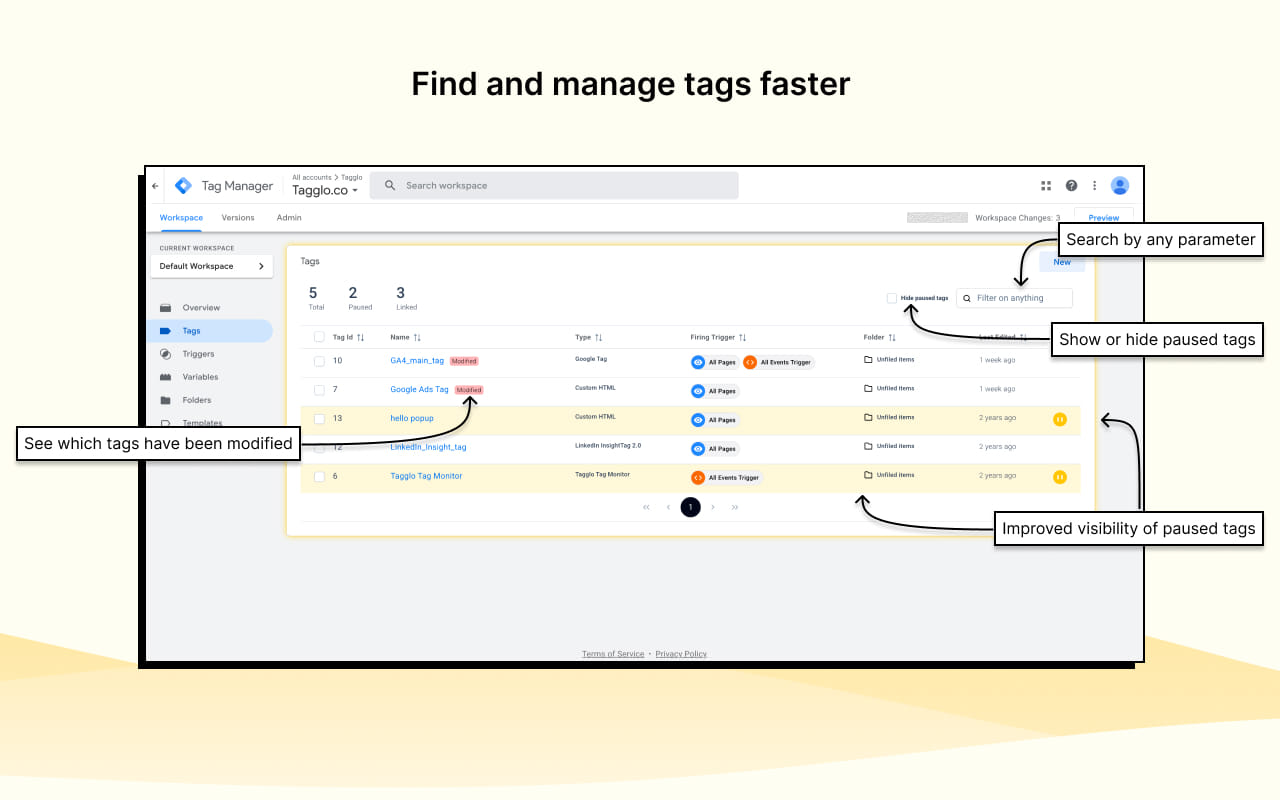
Browse all your tags in a powerful, sortable, and filterable data table. Global search across every tag property, 'Modified' badges that highlight unpublished changes, and a one-click toggle to hide paused tags so you can focus on what's active.
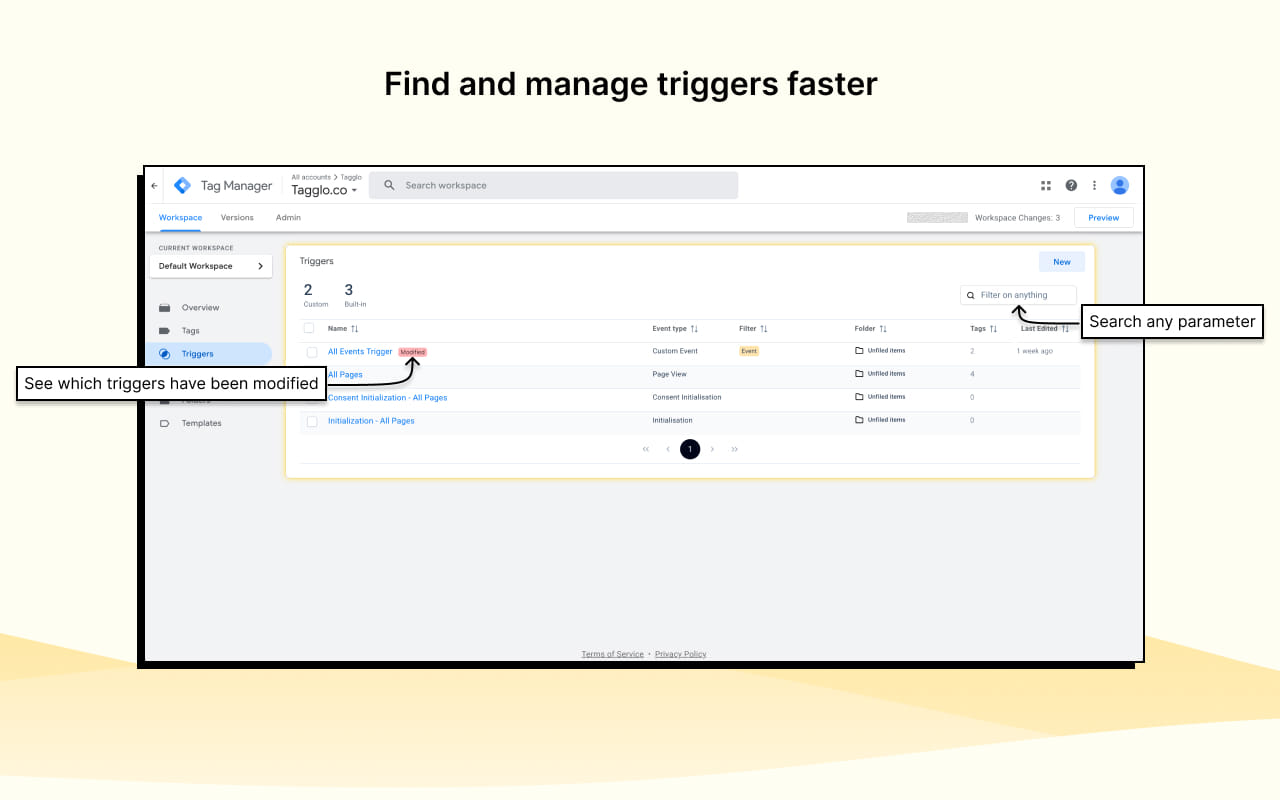
An enriched data table for triggers with the same powerful filtering and search capabilities as the tag table. Quickly find triggers by name, type, or any property — even in containers with hundreds of triggers.
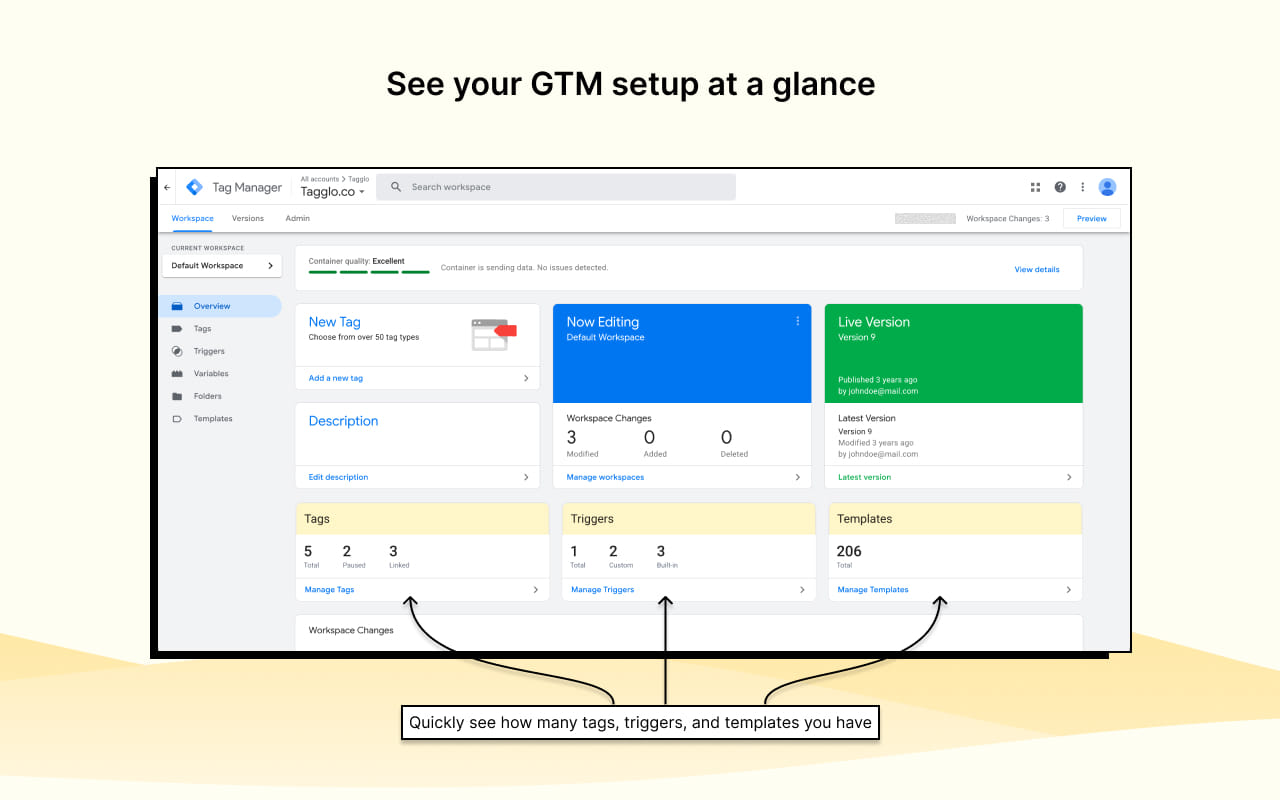
A visual overview is injected above the draft changes section: total tags split by active and paused, trigger counts split by custom and built-in, template usage, and unlinked tag detection. Metrics update automatically as you work.
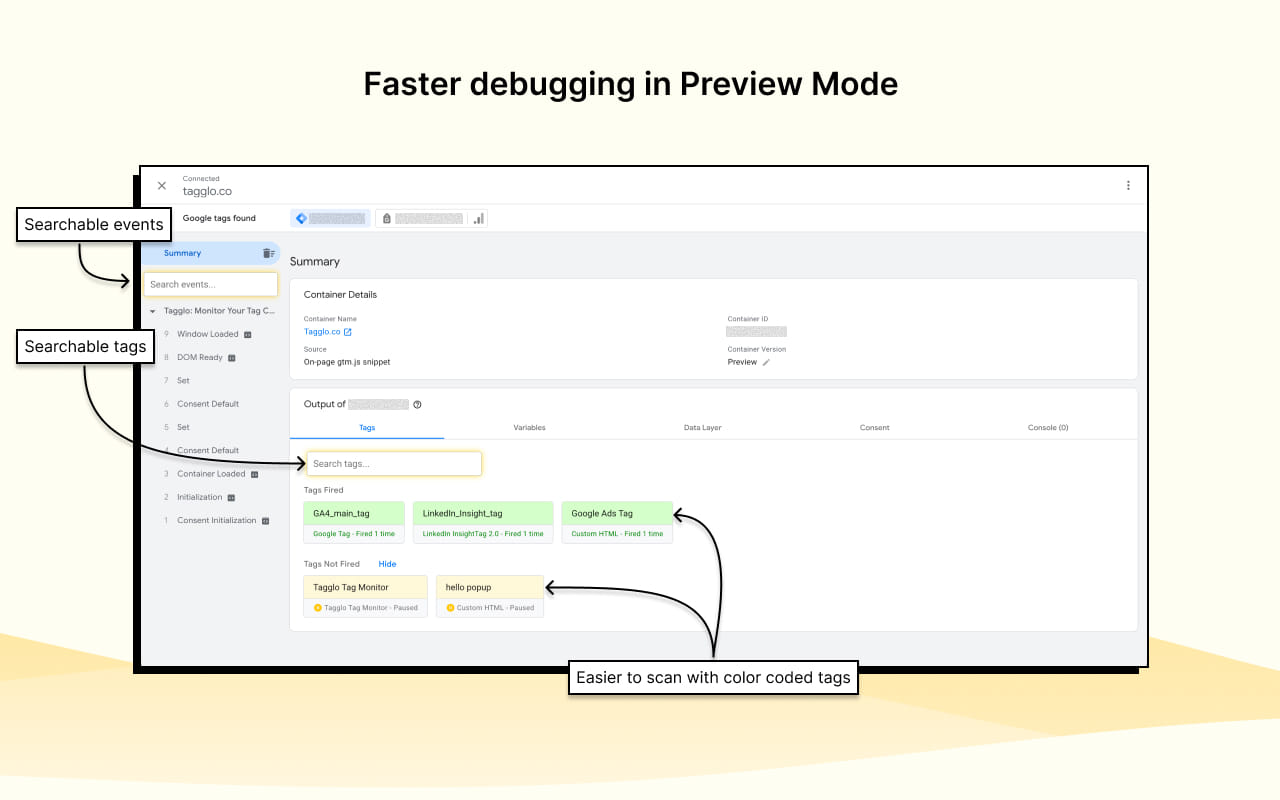
Search boxes for events, tags, and variables in Tag Assistant — plus visual color coding so you instantly see which tags fired, errored, or were paused. Search suggestions appear as you type and recent searches are remembered across sessions.
The variable list is improved with search, filtering, and an option to hide built-in variables so you can focus on your custom implementations. Under the hood, Tagglo uses the same authenticated GTM APIs the web interface relies on — fetching tags, triggers, variables, templates, folders and versions in parallel, then caching everything locally.
Data refreshes automatically when:

Managing complex, multi-tag containers across products and brands.

Responsible for tag governance, QA, and release hygiene.

Implementing and debugging tracking setups for production.

Managing GTM containers across multiple client accounts.

Anyone who finds GTM's native interface limiting in large containers.

Faster search, filtering, and overviews in the tools you already use.
Tagglo GTM Companion runs entirely in your browser. It does not send your data to any external server.
Add Tagglo GTM Companion to your browser. Nothing to configure to get started.
Navigate to tagmanager.google.com or tagassistant.google.com. Enhanced tables and tools are injected automatically.
As you switch containers, navigate, or submit changes, data stays in sync automatically.
A better GTM experience, right where you work — no separate app, no context switching.
Add Tagglo GTM Companion to your browser and the next time you open Google Tag Manager or Tag Assistant, the enhanced experience is already there.
We're continuously improving Tagglo GTM Companion based on user feedback. Have a feature request, bug report, or question? Head to our support page on the Chrome Web Store and let us know how we can make your GTM workflow even better.
